Desktop app · by KLAWS/FX Free · Pro one-time
KlawsShot
Screenshots and screen recording for Windows. Free for screenshots, €29 once for Pro.
Press PrintScreen, drag a region or click a window, annotate, copy. The overlay opens in about a tenth of a second, edge to edge on every monitor. Screenshots are free forever; Pro adds screen recording, OCR and capture history for a one-time €29. Everything stays on your PC — no account, no cloud.
What it does
Instant PrintScreen
The overlay is up in about a tenth of a second, covering every monitor edge to edge — even mixed DPI.
Snap or drag
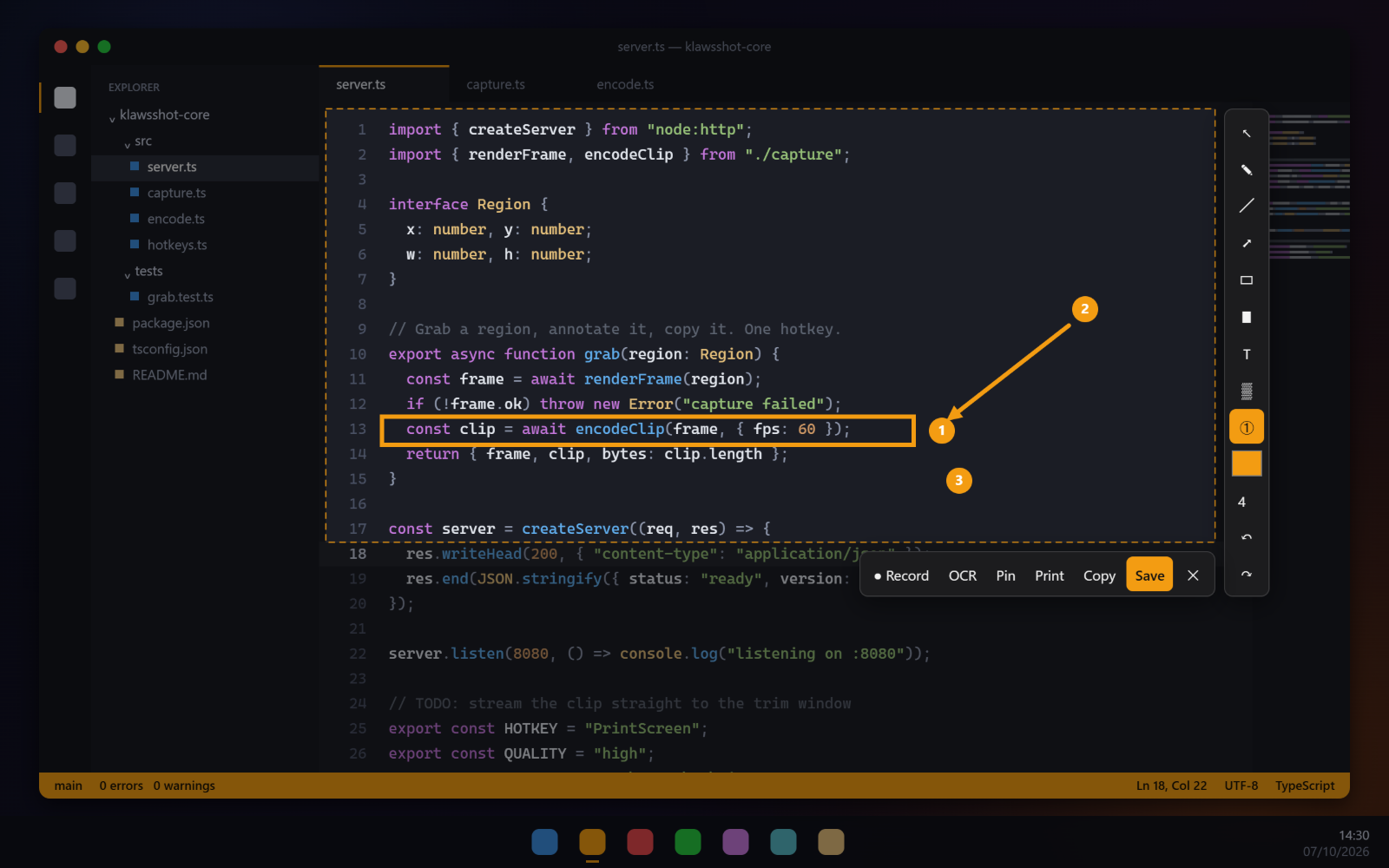
Hover to grab a window or a whole monitor, or drag any region. Shift+PrintScreen repeats the last one.
Annotate in place
Arrows, shapes, marker, text, blur and numbered steps, right on the capture. Then copy, save, print or pin.
Record the screen (Pro)
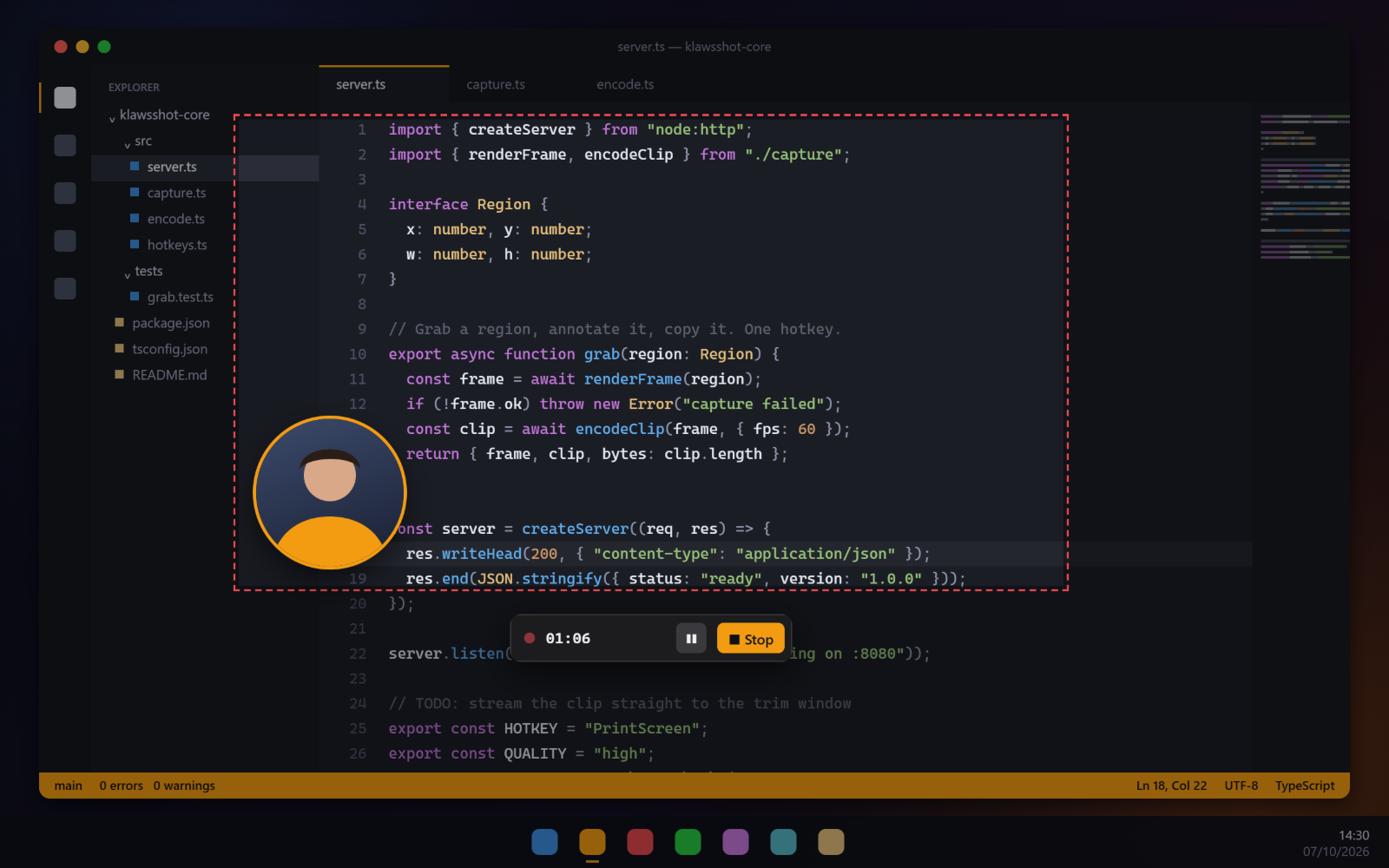
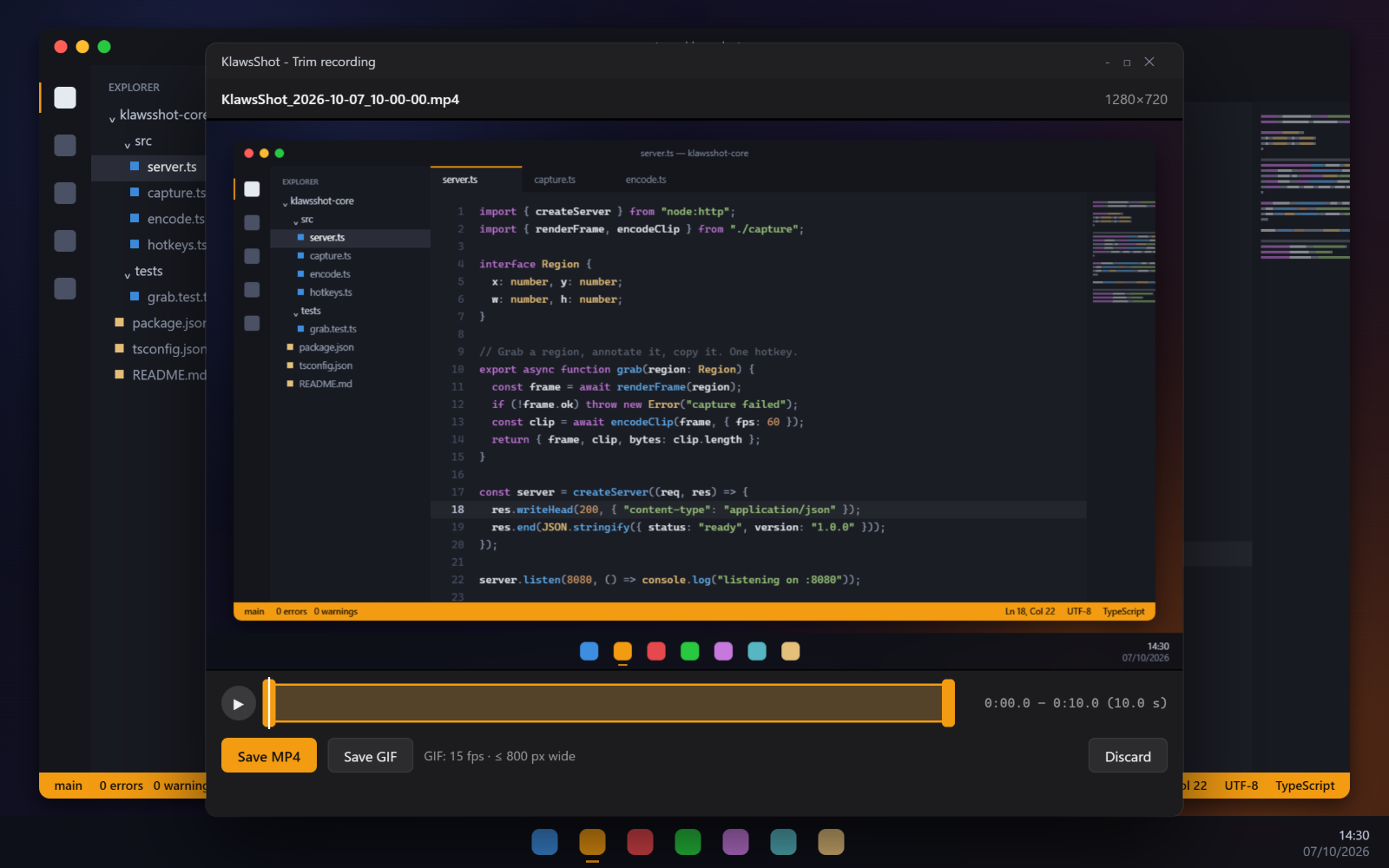
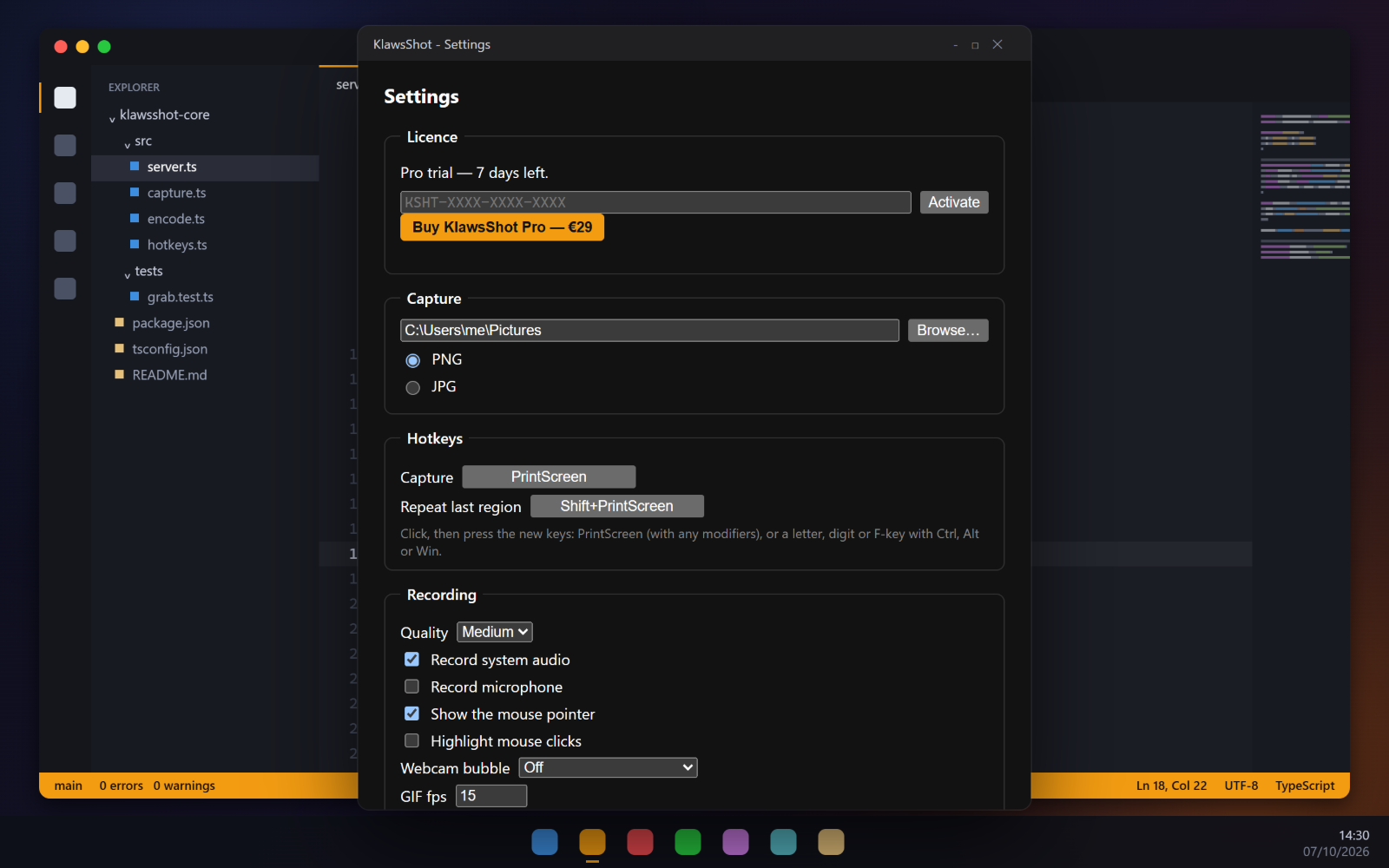
MP4 with system audio and mic, pause, trim, GIF export, webcam bubble and click highlight.
OCR and history (Pro)
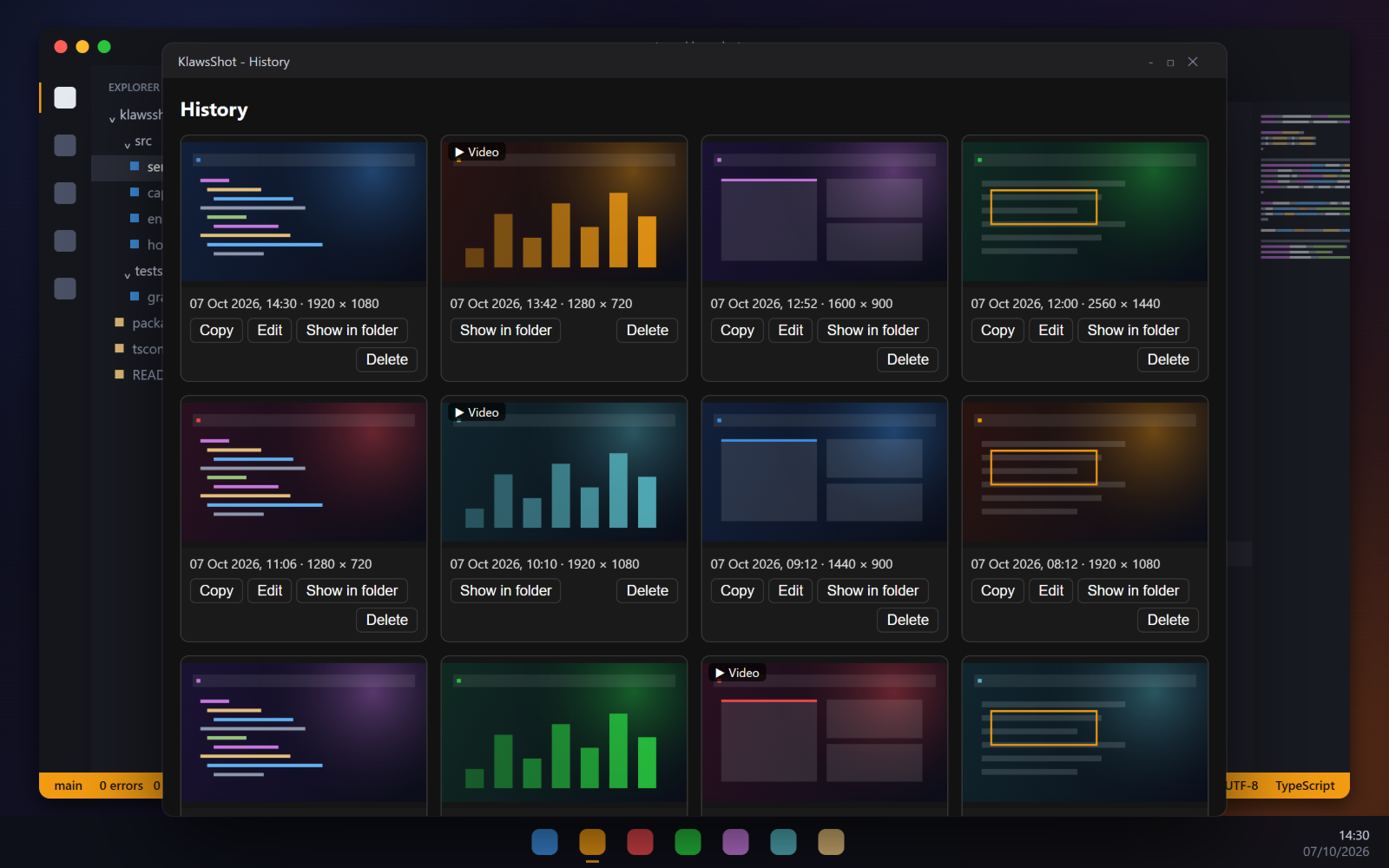
Copy text out of any capture; every capture lands in a searchable history you can re-edit.
Private by default
Captures and recordings stay on your PC. No account, no cloud upload.
Free or Pro
Free
Forever, no key needed
- PrintScreen capture of a region, a window or a whole monitor
- Editor with every annotation tool: pen, arrows, shapes, marker, text, blur, numbered steps
- Copy, Save as PNG/JPG, Print
- Pin a capture as a floating window
- Repeat the last region with Shift+PrintScreen
Pro — €29
One-time · 1 PC · all 1.x updates
Everything in Free, plus:
- Screen recording to MP4 with system audio and microphone
- Pause, trim, and export to GIF
- Webcam bubble and click highlight
- OCR — copy the text out of any capture
- Capture history — copy, re-edit or find old shots
Try Pro free for 7 days — it starts the first time you use a Pro feature. After that, the free version keeps working.
See it in action
Buy. Download. Use.
Download
Free installer for Windows 10/11. Screenshots work right away, forever.
Capture
Press PrintScreen. Select, annotate, copy — done.
Go Pro when you need it
Try Pro free for 7 days. After that, the free version keeps working, or keep Pro with a one-time €29 key (1 PC, all 1.x updates).
Get KlawsShot
Pro · lifetime
1 key · 1 PC
Pro
Screen recording, OCR and history — lifetime, 1 PC
Key emailed instantly · activates 1 PC · all 1.x updates included · 7-day Pro trial built into the app.