Most of my week as a web developer is not the interesting part of web development. It's the chores around it: re-running an SEO audit after a content change, translating a blog post into Greek, generating a cover image, writing three slightly different versions of the same social post, checking that a deploy didn't break the sitemap. None of it is hard. All of it is repetitive, and repetitive work is exactly the kind of thing you should hand to a tool instead of doing by hand at 11pm.
So over the last few months I've been building that tool: a plugin for Claude Code that turns those chores into commands. This post is about how I think about automating day-to-day website work, what's actually worth automating, and what I learned wiring it all together.
What a plugin actually is here
A Claude Code plugin is a bundle of three things: agents (specialists with a narrow job and their own instructions), commands (the entry points you type, like /campaign or /audit), and skills (reusable knowledge the agents pull in when relevant). You're not writing a monolithic script that does everything. You're defining a team of small, opinionated workers and the playbook each one follows.
That framing matters. The mistake I made early on was trying to write one giant "do the website stuff" prompt. It was unreliable and impossible to debug. The moment I split the work into agents — one that only writes copy, one that only runs the SEO pass, one that only renders video — each piece got predictable. A specialist with a tight job description fails in obvious ways. A generalist fails in mysterious ones.
The chores worth automating
Not everything deserves a plugin. The test I use: is the task repetitive, rule-heavy, and low-judgment? If yes, automate it. If it needs taste or a real decision, keep a human in the loop and let the tool do the setup around that decision.
The ones that passed the test for me:
- SEO and GEO audits. A deterministic pass over every page that checks meta tags, canonical and hreflang correctness, structured data, and now generative-engine readiness (can an AI answer engine actually quote this page?). It runs the same way every time, which is the whole point of an audit.
- Bilingual content. Every post I publish needs an English version, a Greek translation, and a cover image. That's three steps I will forget at least one of if I do it manually. A command that always does all three is worth more than the time it saves, because it removes the "oops, the Greek version never went up" class of mistake.
- Social campaigns. Turning one blog post into platform-native posts for TikTok, Instagram, and LinkedIn — different hooks, different lengths, different formats — plus rendering short vertical videos. This is the most tedious, most parallelizable work I do, so it was the biggest win.
- Deploy and post-deploy checks. Run the build, confirm the sitemap and robots files are intact, check that nothing in the security headers regressed.
- Accessibility and legal scaffolding. The boilerplate every real business site needs but nobody enjoys writing: an accessibility widget, a privacy policy, cookie and terms pages with the right jurisdiction baked in.
The common thread is that each of these is something I should do consistently and, left to willpower, won't.
Seeing the work, not just trusting it
The thing I didn't expect to need was observability. When you dispatch a handful of agents to work on different parts of a site at once, "is anything actually happening?" becomes a real question. Logs answer it, but logs are a miserable way to feel confident.
So I built a dashboard — and I leaned into the fact that this is a personal project by making it a pixel-art office. Each agent is a little character with a role and a desk. When one is tasked, it walks over, sits down, and shows what it's working on. When it's idle, it wanders. The whole thing reads local session files and renders on a canvas, so it costs nothing to run.
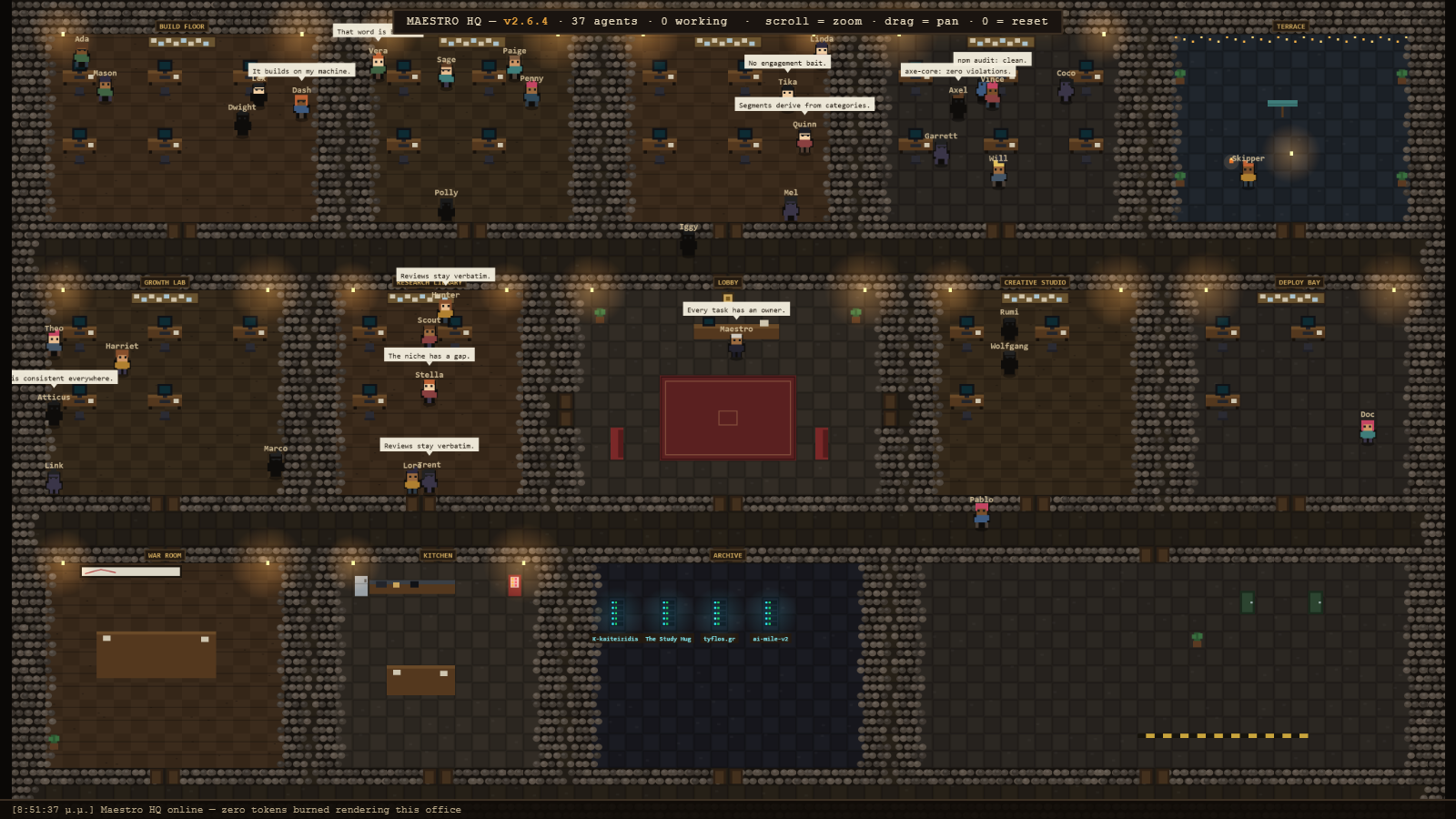
It sounds like a toy, and partly it is. But it turned out to be genuinely useful: I can glance at it and see which department is busy, which agent is stuck, and whether a campaign is mid-render or done. A status bar I'll actually look at beats a perfect log file I won't.
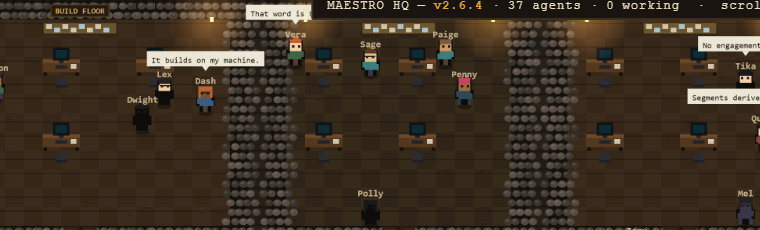
The serious lesson under the silly art: if you build automation you can't see, you'll either over-trust it (and ship its mistakes) or under-trust it (and re-check everything by hand, defeating the point). A cheap, honest view of what your agents are doing is part of the system, not a nice-to-have.
What I'd tell someone starting
If you're a developer drowning in the same five tasks every week, here's the short version of what worked.
Start with one chore, not a platform. Pick the single most annoying repetitive task you do and automate exactly that. My first agent did nothing but generate and place a blog cover image. It was small enough to finish and useful enough to keep.
Make each agent boring and specific. "Write the LinkedIn version of this post following these rules" is a good job. "Handle marketing" is not. Narrow scope is what makes the output reliable enough to trust.
Keep the human at the decision points. The plugin drafts everything; I still read the Greek translation, still approve the campaign before anything is posted, still look at the audit before acting on it. Automation should remove the busywork around a decision, not the decision.
And build yourself a way to watch it. Even a crude one. You'll trust the system more, and you'll catch its failures faster.
The honest tradeoff
Building this took far longer than the time it has saved so far. That's normal for tooling and worth saying out loud — if you automate a task that takes you ten minutes a week, the spreadsheet says don't bother. But the real return isn't the ten minutes. It's that the task now happens every time, the same way, whether or not I'm tired, and that I've turned a recurring nag into a single command I can fire and forget.
For one-off work, do it by hand. For the stuff you'll do a hundred more times, teach a tool to do it once. That's the whole pitch, and after a few months of living with it, I'd build it again.
Want this kind of automation for your own site? That's what I do — full-stack websites and the tooling around them, shipped fast.